
Your rent and service charges are reviewed every year and this year, the new charges will start on:
· Wednesday 1 April 2026 if you pay monthly
· Monday 6 April 2026 if you pay weekly
If you receive Universal Credit (UC), you must let them know about your new rent amount as soon as the change has happened. This helps make sure you receive the correct amount of Universal Credit.
If you report the change late, Universal Credit may not backdate any missing payments.
When should you report the change?
Please update your Universal Credit account after the rent change date, not before.
You should do this on or soon after:
· 1 April if you pay rent monthly
· 6 April if you pay rent weekly
Do not report the change early. Doing this too soon can affect your claim and may cause delays or duplicate requests.
What you need to do
1. Log in to your Universal Credit online account.
2. Go to your To-Do list.
3. Look for the task “Confirm your housing costs” or “Report changes to your housing costs.”
4. Follow the steps to enter your new rent amount. You will find this amount in the annual rent change letter we sent you.
Please do not use the “Report a change of circumstances” option to report your rent increase.
The following are screen shots showing you how to update your journal
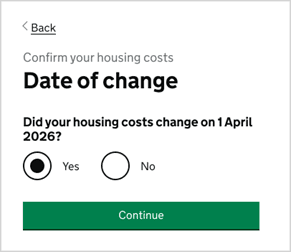
Date of change
You will answer Yes to this question.
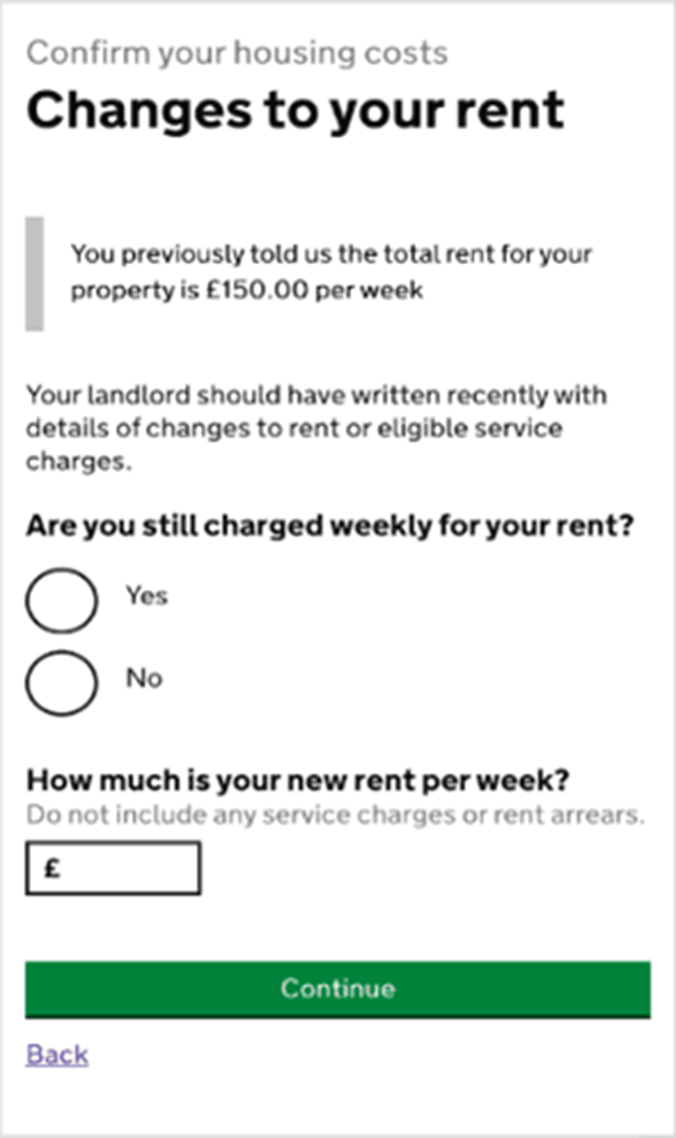
Rent
You will be asked if you are still charged weekly or monthly for your rent.
The frequency you pay your rent will not have changed, so you will answer yes to this.
You will then be asked for your new rent. You can get this information from your annual rent change letter sent to you.
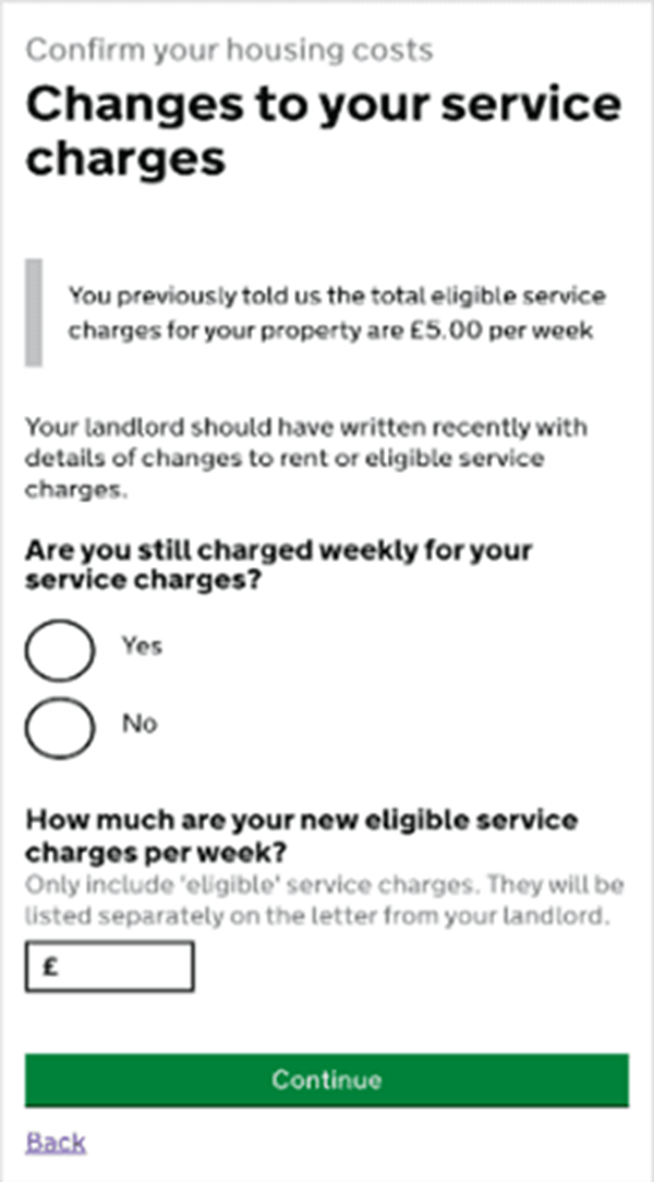
Eligible service charges
You will be asked if your service charges are still paid weekly or monthly.
The way you pay your service charges has not changed, so you should select “Yes”.
You will then need to confirm the new amount you pay for service charges each week or month.
You can find this amount in the annual rent change letter we sent to you.